

 Loading...







Play Minesweeper online for free and dive into this exciting puzzle adventure! Uncover hidden tiles and avoid the sneaky mines lurking beneath. Use your brain to figure out which squares are safe and which hide a surprise. Each number tells you how many mines are nearby, so think carefully before clicking. It's a fun and thrilling way to test your skills and become a true puzzle master. Whether you're a beginner or an expert, there's a perfect challenge waiting just for you. Ready to start your adventure? Let's go!
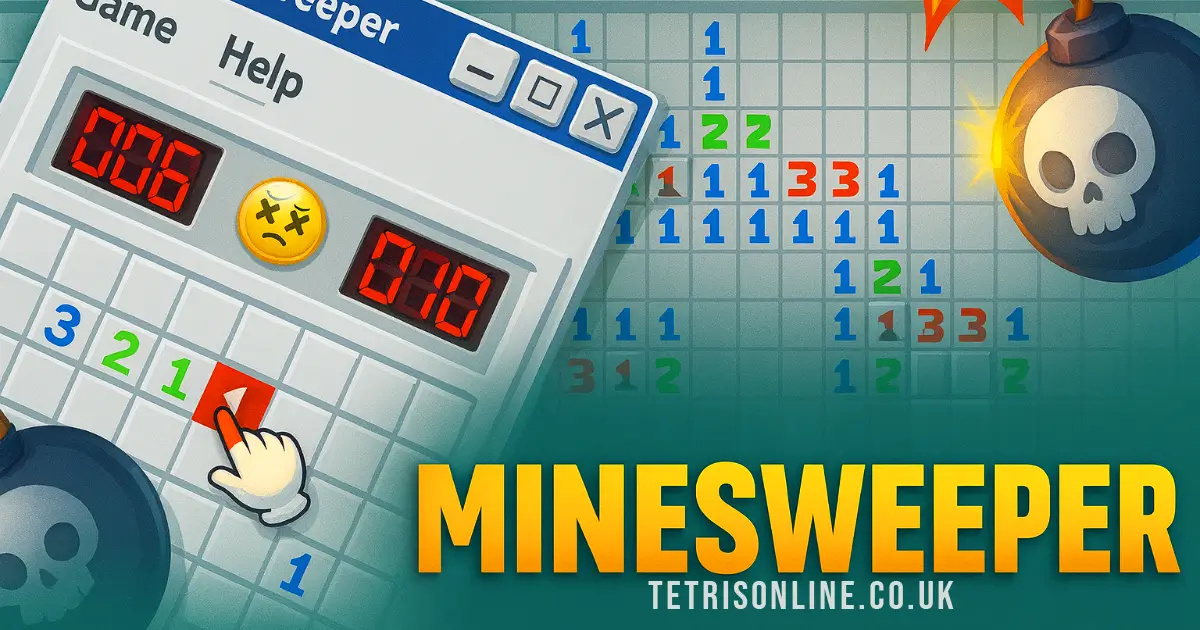
What Is Minesweeper?
Minesweeper is a classic computer puzzle game that was first developed by Microsoft and released in 1990. It's a simple yet challenging game that has been enjoyed by players of all ages for decades. The game board is made up of a grid of squares, some of which contain hidden mines. The objective is to uncover all the squares that don't have mines without accidentally clicking on a mine.
When you click on a square, it will either reveal a number or be empty. The number indicates how many mines are adjacent to that square. Using this information, players must use logic to determine which nearby squares are safe to click. If you suspect a square contains a mine, you can mark it with a flag to help keep track.
The game can be played on various devices, including computers, tablets, and phones. On a computer, you can use the mouse to click and flag squares. On touch devices, tapping and long-pressing are used for these actions. The first square you open is always safe, so you can start anywhere on the board.
Minesweeper is not only about avoiding mines but also about solving puzzles quickly and efficiently. Some players enjoy competing for the fastest times or tackling the most difficult boards. Whether you're playing for fun or aiming for high scores, it's a great way to exercise your brain and improve problem-solving skills!
Minesweeper Gameplay Mechanics
In this classic game, the board is made up of many small squares, and hidden under some of these squares are dangerous mines! Your job is to uncover all the safe squares without triggering a mine. When you click on a square, it will either be empty or show a number. This number tells you how many mines are hiding in the squares next to it.
To play, start by clicking any square. Don't worry, the first one is always safe! If you see a number, use it to figure out where the mines might be. If you're sure a square has a mine, you can mark it with a flag by right-clicking on it or pressing and holding on touch devices. This helps you remember not to click there!
If you're not sure about a square, you can also mark it with a question mark by right-clicking twice or pressing and holding longer. This way, you can come back to it later when you have more clues.
When you think you've flagged all the mines around a number, you can click on the number again to open all the other squares around it. But be careful—if you're wrong, you might hit a mine!
You win the game when you've opened all the safe squares. The flagged mines will be automatically marked for you at the end. Remember, it's all about using your brain and being careful!
Play Minesweeper on Any Device
You can play this game directly in your web browser on desktop, laptop, tablet, or mobile.
How to Play Minesweeper: A Beginner's Guide
Welcome to the exciting world of Minesweeper! Here's a simple guide to help you get started and become a pro at finding those tricky mines.
- Start the Game: Begin by clicking on any square on the board. Don't worry, your first click is always safe!
- Understand the Numbers: When you click a square, numbers might appear. These numbers tell you how many mines are hiding in the squares next to it.
- Find Safe Squares: Use the numbers to figure out which nearby squares are safe to click. If a square has a "1" and you see one mine next to it, you know the other squares around it are safe.
- Mark the Mines: If you're sure a square has a mine, you can mark it with a flag. This helps you remember where not to click!
- Clear All Safe Squares: Keep clicking on safe squares and marking mines until all the non-mine squares are open.
- Win the Game: You win when you've opened all the safe squares without clicking on any mines. Hooray!
Remember, it's all about using your brain and being careful. Have fun and good luck avoiding those sneaky mines!
Mastering Minesweeper Controls
Understanding the controls is essential for efficiently navigating and winning the game. Here is a comprehensive guide to help you master both basic and advanced controls on different devices.
- Desktop
- Left-click an empty square to reveal it.
- Right-click (or Ctrl+click) an empty square to flag it as a mine.
- Middle-click (or left+right click) a number to reveal its adjacent squares.
- Press the space bar while hovering over a square to flag it or reveal its adjacent squares.
- Press F2 or click the smiley face to start a new game.
- Right-click twice on a square to mark it with a question mark, indicating uncertainty about its status.
- Right-click again to clear any marks, cycling through Bomb, Question Mark, and Clear states.
- Mobile
- Tap an empty square to reveal it.
- Long-press an empty square to flag it as a mine.
- Tap a number to reveal its adjacent squares.
- Press and hold on a square until a box pops up showing a flag. Continue holding to cycle through Flag, Question Mark, and Clear states. Release when the desired state appears.
The first square you open is guaranteed not to contain a mine, allowing you to start by clicking any square. Revealing all non-mine squares results in a win, while flagged mines are automatically marked upon clearing all other squares. Utilize these controls effectively to enhance your gameplay experience and improve your completion time.
Pro Tips to Master Minesweeper
Ready to become a Minesweeper pro? Here are some awesome tips to help you win the game and have fun while doing it!
- Start Smart: Your first click is always safe, so pick any square to begin. This will often reveal several empty squares and numbers, giving you a good start.
- Understand the Numbers: Each number on a square tells you how many mines are touching it. Use these clues to figure out which nearby squares are safe to click.
- Flag Carefully: If you're sure a square has a mine, mark it with a flag. On computers, right-click to flag; on touch devices, press and hold until a flag appears.
- Use Question Marks: Not sure if a square has a mine? Use a question mark as a reminder. Right-click twice or press and hold to cycle through the options.
- Quick Clear: If you've flagged all mines around a number, click the number to open all other adjacent squares. This saves time and helps clear the board faster.
- Stay Focused: The goal is to open all non-mine squares. Flags are helpful, but winning means uncovering every safe spot!
Remember, practice makes perfect. Keep playing and soon you'll be solving puzzles like a champ!
Key Features That Make Minesweeper Special
Here are some exciting features that make this game unique and fun to play:
- Different Difficulty Levels: Choose from Beginner, Intermediate, or Expert levels to match your skill.
- Simple Rules: The board is divided into cells, some of which contain hidden mines. Use numbers on the cells to figure out where the mines are hidden.
- Safe First Move: The first square you open is guaranteed not to contain a mine, so you can start with confidence.
- Flagging System: Mark suspected mine locations with flags. This helps keep track of where you think the mines are.
- Question Marks: Use question marks to indicate squares you're unsure about. This helps avoid accidental clicks.
- Quick Actions: Open all adjacent squares quickly by clicking on a number when the correct number of mines is flagged around it.
- Auto-Flagging: Once all non-mine squares are opened, any remaining mines are automatically flagged, helping you win faster.
- Touch Device Support: Play on tablets and phones using long presses to flag or mark squares with question marks.
- Leaderboards: Compete with others for the best times and scores across various categories.
Play Minesweeper Online for Free
Experience the classic puzzle game directly in your browser with this online-adapted version. Enjoy seamless gameplay on popular browsers like Chrome, Firefox, Safari, and Edge. The game is designed to be user-friendly, offering intuitive controls for both desktop and mobile users. On desktops, left-click to reveal a square, right-click to flag it, and use a combination of clicks to manage adjacent squares efficiently. For mobile players, simple taps and long presses allow for easy interaction.
The first click is always safe, ensuring you start with a clear path. The objective is to clear all non-mine squares while using the numbers as clues to locate hidden mines. Flags are optional but helpful for keeping track of suspected mines. Whether you're aiming for speed or just enjoying the logic puzzle, this online version caters to all play styles. Dive into the challenge and see how quickly you can clear the board!
Is Minesweeper Free to Play?
Yes, the game is completely free to play online. There are no fees or in-app purchases involved, ensuring that you can enjoy the game without any financial commitments. All games available on our site are free, allowing you to dive into the classic puzzle-solving experience without any barriers. Free play offers numerous benefits, such as the ability to practice at your own pace, improve your skills, and challenge yourself with different difficulty levels without worrying about costs. Whether you're aiming to be the fastest or simply enjoying the logic puzzles, free access ensures that everyone can participate and enjoy.
Play Minesweeper Unblocked
Yes, play Minesweeper Unblocked on tetrisonline.co.uk. Whether you're at school, at work, or on a break—you can play without any restrictions. Enjoy seamless gameplay on desktop and mobile devices, complete with intuitive controls for both platforms. Start a new game easily and challenge yourself with different difficulty levels. Experience the thrill of uncovering safe squares and strategically flagging potential mines. Join leaderboards and compete with players worldwide, all while enjoying uninterrupted access.
Minesweeper on GitHub
No need to search on GitHub, our version works on all devices at school or work. While competitors mention various controls and gameplay features, our implementation ensures compatibility across desktops and mobile devices without the need for additional downloads or installations. Enjoy the classic game seamlessly, wherever you are.
Download Minesweeper (PC, iOS, Android)
Many fans enjoy downloading it for an even smoother experience. Here’s how:
- Android: Open the Google Play Store and tap Install.
- iOS: Open the App Store on your iPhone or iPad and tap Get.
- Minesweeper APK: Android users who can’t use Google Play can find and download the APK from trusted sites to install offline.
- PC Steam: If you like playing on a computer, download the game for free via Steam and enjoy a bigger screen and controller support.
Minesweeper Extension
Enhance your gaming experience with the Chrome extension. This extension offers instant play directly from your browser, making it easier than ever to dive into a game without any delays. Enjoy the convenience of playing even when offline, ensuring uninterrupted gameplay. While competitors focus on in-browser play, this extension takes it a step further by providing seamless integration and quick access. Download the Chrome extension today and experience the benefits of playing directly from your browser toolbar.
Similar games to Minesweeper
If you enjoy the strategic challenge of Minesweeper, you might also like these games:
FAQs about Minesweeper
How do you start a game?
Click any square to begin; the first one is always safe.
What do the numbers mean?
They show how many mines are next to that square.
How do you flag a mine?
Right-click or long-press a square to mark it with a flag.
Can I play on a phone or tablet?
Yes, just tap and hold to flag squares instead of right-clicking.
What happens if I click on a mine?
The game ends, and you'll have to start over.
How do you win?
Open all squares that don't have mines to win the game.
Do I need to flag all mines to win?
No, but it helps keep track of where you think they are.
What are question marks for?
Use them if you're unsure about a square being a mine.
Can I change my mind about a flag?
Yes, right-click again to cycle through options: Flag, Question Mark, Clear.
Is there a way to open multiple squares at once?
If you've flagged all adjacent mines, click the number to open nearby squares.
What's the best strategy for beginners?
Start with corners or edges and use numbers to guide you safely.
Is there a time limit?
No, but playing faster can be more fun and challenging!
Conclusion
Minesweeper is a timeless classic that continues to captivate players of all ages with its simple yet challenging gameplay. For kids, it's a fantastic way to enhance problem-solving skills and logical thinking while having loads of fun. The thrill of uncovering safe squares and strategically flagging mines keeps the excitement alive with every click.
Why not dive into the world of Minesweeper online? It's free to play, and you can challenge yourself with different difficulty levels. Plus, it's a great game to share with friends for some friendly competition. So, gather your buddies, start a new game, and see who can become the ultimate Minesweeper champion!